Choose the words
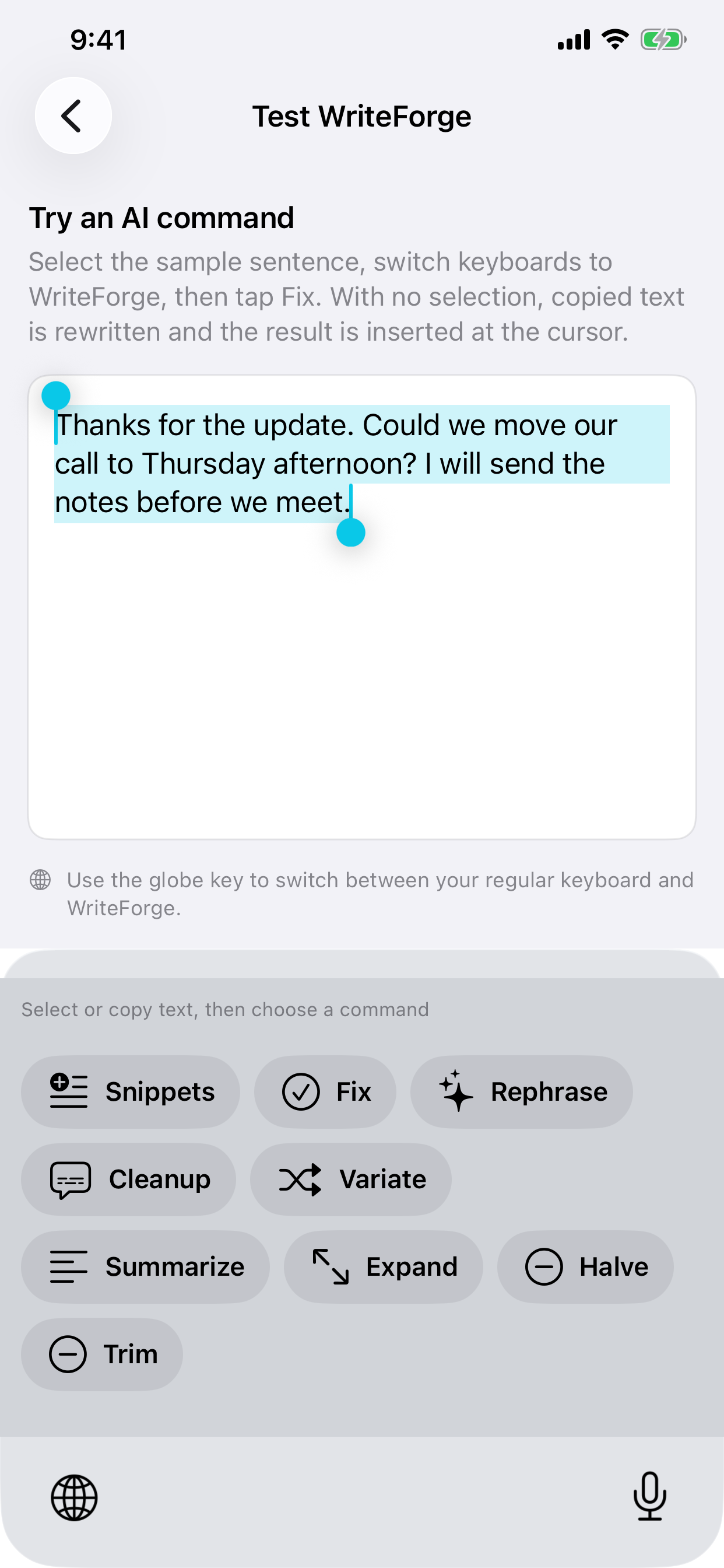
Select the part you want to edit. For a long draft, use iOS Copy and then place the cursor where you want the result.
 WriteForge
Writing tools for iPhone & iPad
A reply that’s too long. A sentence that sounds off. Select your text, switch to WriteForge, and let AI help with the edit.
Keep using your usual keyboard to type.
Available for iPhone and iPad.
One keyboard switch
No need to move a sentence into a separate chat just to fix it.
Select the part you want to edit. For a long draft, use iOS Copy and then place the cursor where you want the result.
Hold the globe key on your keyboard and choose WriteForge. Your writing stays in the text box.
Try Fix for grammar, Rephrase for different wording, or Trim to cut the extra words. Read the result, then keep typing.
Selected text is replaced. In Clipboard mode, with no selection, copied text is rewritten and the result is inserted at the cursor. Some apps restrict third-party keyboards or the text they can read.
Make it yours
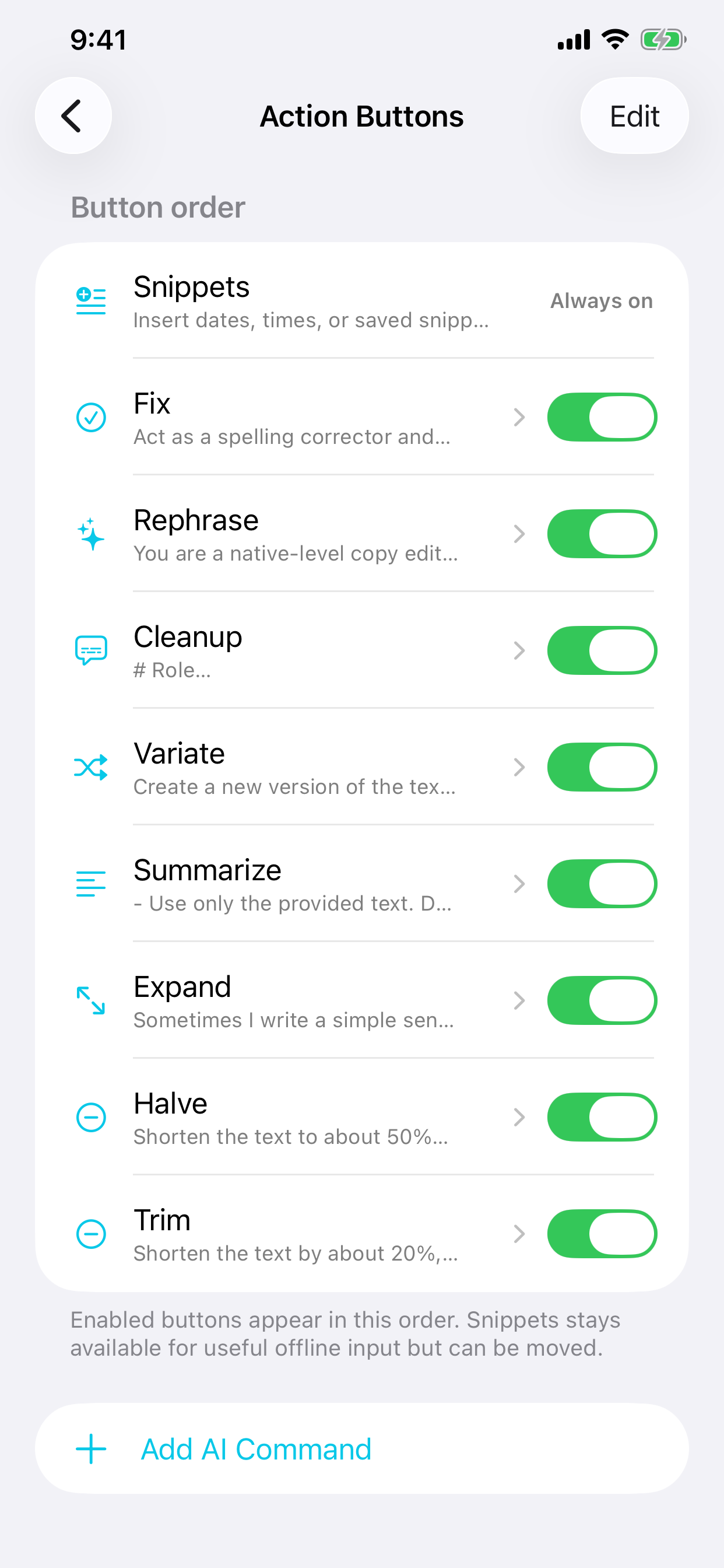
Put your favorite actions first. Hide the ones you don’t use. Save your own instructions for jobs you repeat.
Plans
Choose Standard or Plus, billed monthly or annually. Every plan includes the same writing tools, with its own monthly usage allowance.
Regular monthly usage
$4.99 / month
or $49.99 per year
All writing actions, custom instructions, and iCloud sync.
Plus monthly usage
$9.99 / month
or $99.99 per year
All writing actions, custom instructions, and iCloud sync.
Eligible new Standard subscribers get a 7-day trial with 25 successful AI actions. After the trial, your chosen subscription renews at its listed price unless canceled. You can upgrade to Plus during the trial.
Paid usage depends on how much AI processing each edit needs. Your allowance resets monthly, even on an annual plan. The app shows your remaining usage and pauses AI actions at the limit. Prices shown are in US dollars; local prices appear in the app. Manage or cancel subscriptions in your Apple Account settings.
Get WriteForge on the App StoreWriteForge sends text for AI processing when you tap a writing action. It doesn’t send a running feed of your typing.
No. Use your usual keyboard to type, and switch to WriteForge when you want an edit. You can also insert dates, times, and your saved snippets.
iOS requires Full Access so a keyboard can connect to the internet. WriteForge uses that connection to process the writing action you request. Setup shows you where to enable it.
No. iOS and the app you’re writing in decide what text a keyboard receives. Long selections can be incomplete too. For important or long text, use Clipboard mode: copy with iOS, clear the selection, and choose where to insert the result. Optional Auto mode tries to read the text box, but can miss text.
Yes. Reorder actions, turn them off, or add a custom instruction in WriteForge. Your action settings sync through your personal iCloud account.
Something else on your mind? Contact us.